$31.75 $46.95
| /
NOTE: Z-Wave gateway controller required - sold separately. *Your hub needs to support advanced parameter input to display these features.
Download the manual for the 800 Series Z-Wave Long Range Wall Remote ZEN37 800LR (PDF)
NOTE: If you don't see your Z-Wave controller on the list above, please contact us before you purchase this product.
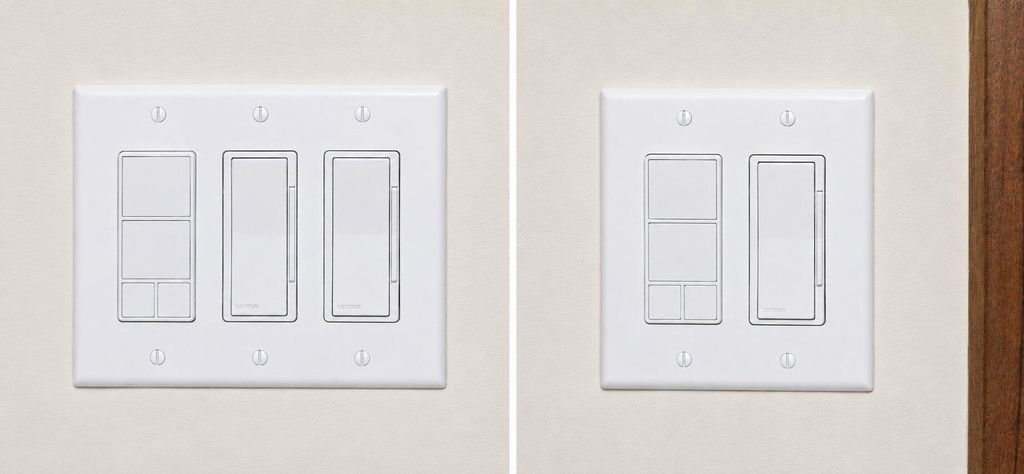
You can now order a Wall Remote with a custom etched faceplate from our partners at Domotinc! Just click on the image below to customize your device and order it directly from Domotinc. NOTE: custom etched plates are NOT included with your purchase on The Smartest House. Domotinc currently sells hardware version 1 of the ZEN37 (see product changelog here).
Simply use the provided triangle tool to open the Wall Remote, take out the pull-tabs from the battery slots to activate the device. Follow the instructions to integrate the device with your hub and install the base in a standard switch box or on any flat surface using the provided screw or adhesive tape. Finish the installation by attaching the wall plate to the magnetic base of the Wall Remote.
How to add the Wall Remote to your Z-Wave home hub?
1. Make sure the device is within range of your Z-Wave network
2. Put your Z-Wave hub in inclusion/pairing mode
3. Tap the top button of the Remote Switch 6 times quickly to finalize the inclusion process (or scan the QR code / enter the 4-digit DSK number printed on the back of the remote if using the new SmartStart method)
4. A new remote control / button controller device will appear on your hub's device list
I agree with the other reviews about the buttons. They feel cheap, they make that brittle plastic cracking sound when pressed, and they wobble in their slots instead of feeling secure. The whole thing ends up feeling flimsy in a way I don’t associate with other Zooz products. I really hope the product team revisits the button design, since this is a component people will interact with constantly.
My son is dealing with a resurgent fear of the dark, so this little remote lives on his headboard so that if he needs to turn on lights he can do so without getting out of bed. It integrated perfectly with Home Assistant, behaves exactly like a hard wired switch, and can control all automations just like I'd hoped. I love that it comes with the mounting hardware and plate to make it look like a switch as a bonus!
It has USB C, but must be charged with a low power charger. One of the two I ordered had to be replaced because my PD charger killed it.
It works well as a remote, but the buttons stick a bit. The wall mounting is good.
We have 3 of these around the house. One controls the upper and lower cabinet lights which are on zigbee dimmers, the second controls a zwave switch for the hot tub and the third controls 2 different wled controllers. The push, hold, double click.. always spot on with configurable led indicator feed back. never drops off network and batter for us is at least 3 months with a few pushes every day.
I am upgrading a few devices in my house and decided to swap out the old shelly wifi buttons for the ZEN37 wall remotes, and despite not mounting them on a wall, they are performing great. Easy inclusion, annd incredible response.